Clean-Room Browser Automation for AI Agents
agent-webbridge is open-source (MIT), clean-room browser automation for AI agents. It drives your real Chrome — with your real login sessions — across multiple Chrome profiles at once, and runs multiple tabs per profile concurrently. No closed-source dependency, no account, no telemetry, no curl|bash installer.
Active Google Chrome profile instances and live daemon statuses.
| Profile ID | Browser Target | Connection Status | Avg Latency |
|---|---|---|---|
| "Work" | Google Workspace Account | Connected | 42ms |
| "Personal" | Personal Google Account | Connected | 36ms |
| "Developer" | Admin Console Profile | Connected | 51ms |
Multi-Session Scraping & Data Collection
Perform concurrent web scraping, DOM queries, and file collection across separate logged-in profiles. Perfect for compiling combined reports from multiple Search Consoles, reading multiple Gmail accounts, or downloading files from different drives simultaneously.
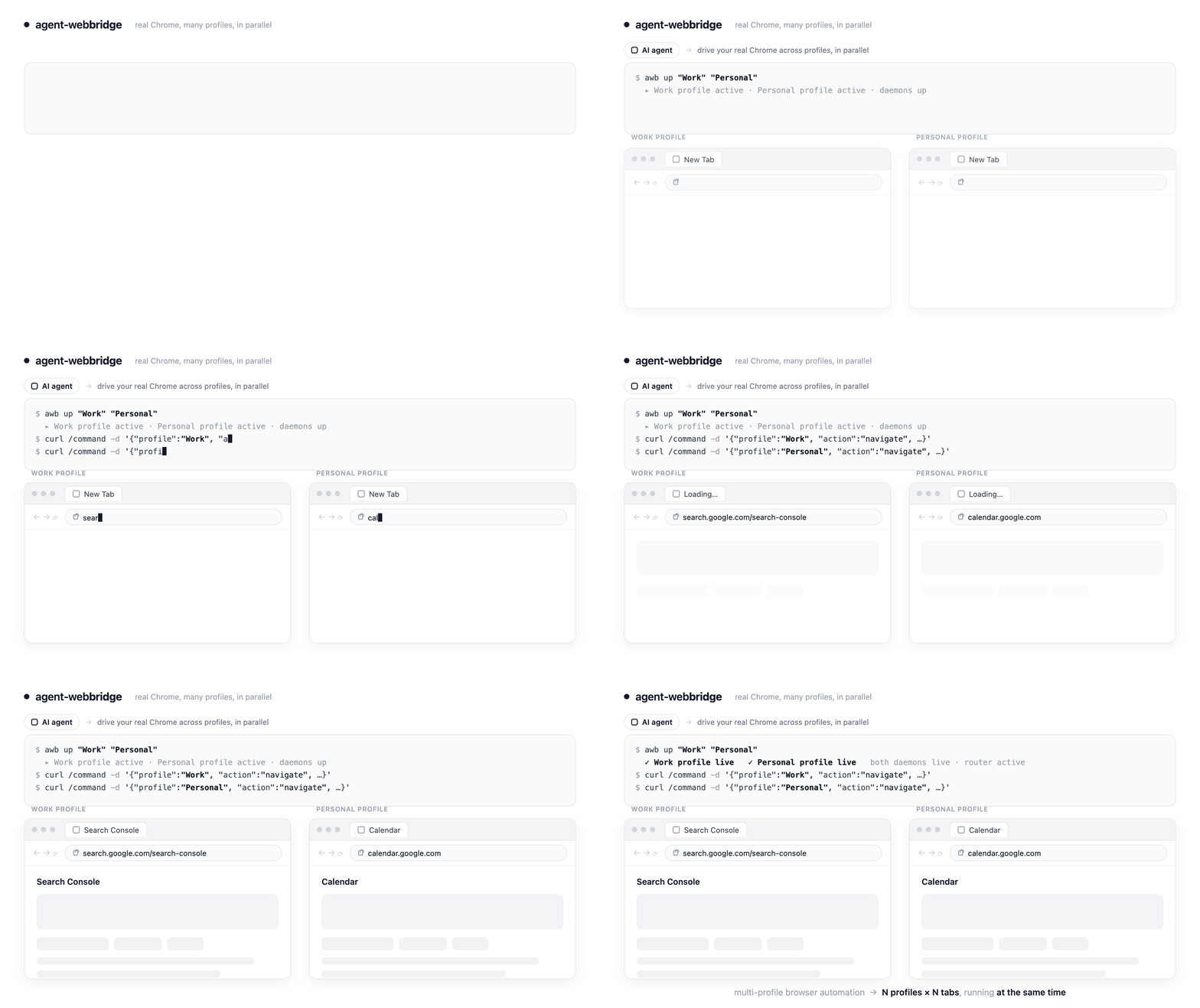
Assemble a command body for the router to forward.
Press "Transmit Command to Fleet" to simulate the network routing...
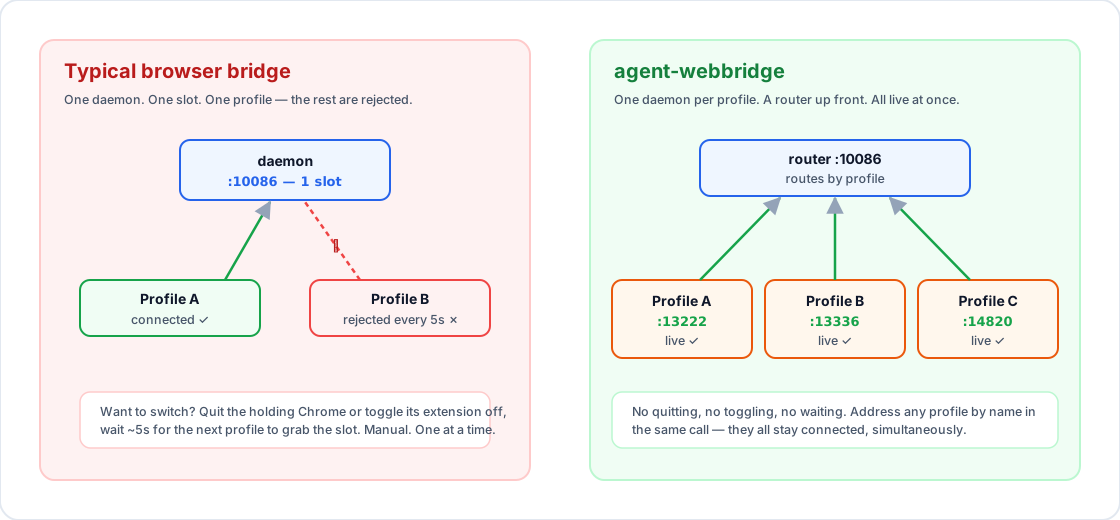
10086. It accepts standard HTTP commands, extracts the "profile" parameter, and forwards the payload transparently to the corresponding browser daemon.
agent-webbridge runs a daemon per profile and places a router on 10086. Every profile stays connected simultaneously, allowing you to select the target by passing a "profile" field in the request payload.
agent-webbridge runs a separate daemon for each profile, actions directed at Gmail, Search Console, Ads, or Google Drive for different logins can execute side-by-side.
agent-webbridge attaches the Chrome DevTools Protocol per tab (a Map keyed by tab), so N tabs in one profile run in parallel. Measured: 2, 5, and 10 tabs in a single profile each finish in about 2 seconds flat, versus 4s, 10s, and 20s if they ran serially. Two axes of concurrency: N profiles × N tabs per profile.
10086 is occupied, and a single daemon will only connect to one browser extension at a time. agent-webbridge sidesteps these constraints by assigning isolated local directories and distinct ports to each daemon process, keeping the central port free for its router.
awb connect command points each profile's extension at its own daemon by directly writing the destination URL to the Chrome extension's on-disk Local Storage LevelDB files (while Chrome is quit), with zero manual clicks — and keeps every profile live at once.